
 By Oilver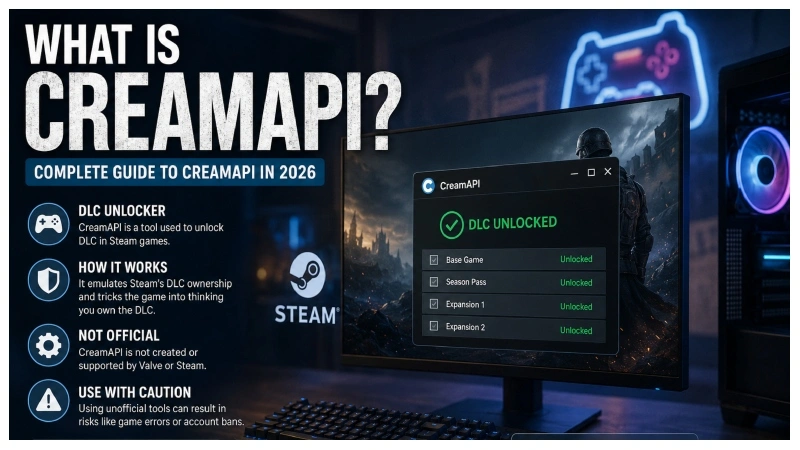
If you have searched for “What Is CreamAPI”, you have probably encountered it while looking for information about Steam games, downloadable content (DLC), or unofficial gaming utilities. CreamAPI is commonly associated with modifying how a game interacts with Steam’s DLC-related systems.
At a technical level, CreamAPI belongs to a category of third-party tools that interact with Steamworks components. That makes it different from an ordinary game mod or customization utility.
This guide explains what CreamAPI is, how it relates to Steamworks, what people commonly use it for, its limitations, and the security and legal considerations you should understand in 2026.
What Is CreamAPI?
CreamAPI is a third-party Steam-related tool associated with DLC ownership emulation. It interacts with components used by Steam-enabled games to determine whether particular downloadable content is available.
Steam itself provides developers with the Steamworks API, which supports features such as achievements, multiplayer, user information, DLC, and other platform services. Valve’s documentation specifically lists ISteamApps as an interface that provides information and actions related to applications and DLC.
CreamAPI is not an official Valve or Steam product. Instead, it is part of the broader ecosystem of community-developed tools that interact with Steamworks functionality.
That distinction matters because using an unofficial tool can create compatibility, security, account, and licensing concerns.
How Does CreamAPI Work?
At a high level, CreamAPI works around the communication between a Steam game and Steamworks components responsible for DLC-related information.
A simplified example looks like this:
Game → Steamworks API → DLC information → Game decides which content is available
A third-party tool such as CreamAPI can alter or emulate part of that process.
The technical idea is important because CreamAPI does not simply download a DLC package and install it like a normal game update. Its purpose is related to how the game handles DLC entitlement information.
Community projects built around CreamAPI often work with Steamworks DLLs and configuration information. For example, open-source CreamInstaller projects describe functionality for locating Steamworks-related DLLs and generating configurations for DLC unlockers.
Is CreamAPI an Official Steam Tool?
No.
CreamAPI is not developed or officially supported by Valve.
Steamworks, on the other hand, is Valve’s official development platform for Steam games. Developers use it to integrate services such as achievements, matchmaking, Steam Overlay, networking, user information, and DLC functionality.
This difference is one of the most important things to understand when researching CreamAPI.
| CreamAPI | Steamworks |
|---|---|
| Third-party project | Official Valve technology |
| Community-developed | Developed and maintained by Valve |
| Associated with DLC entitlement emulation | Provides legitimate DLC and game services |
| Not official Steam support | Official Steam developer platform |
| May introduce compatibility/security concerns | Supported within Valve’s ecosystem |
What Is CreamAPI Used For?
CreamAPI is primarily discussed in connection with Steam DLC.
People researching the tool commonly want to understand whether it can change how a game recognizes DLC that is already present in the game’s files.
However, there is an important distinction between DLC files and DLC ownership information.
A tool that changes entitlement checks does not necessarily provide the actual content files. Community documentation for CreamAPI-related installers explicitly notes that these tools do not automatically download the actual DLC files.
This distinction helps explain why simply installing an unofficial utility does not automatically mean that all DLC content will appear or work correctly.
CreamAPI vs. Steam DLC Explained?
Steam DLC normally involves several pieces working together.
For example:
- A developer creates additional content.
- Steam distributes the required files.
- Steam records the user’s entitlement.
- The game communicates with Steamworks.
- The game determines which content the player can access.
Steam’s official API includes interfaces specifically designed to work with applications and DLC.
CreamAPI is associated with modifying the entitlement-checking side of this process rather than functioning as an official DLC distribution system.
That is why descriptions such as “DLC unlocker” frequently appear alongside CreamAPI in community discussions.
Does CreamAPI Download DLC?
Generally, no.
This is one of the most common misconceptions about CreamAPI.
CreamAPI-related projects and installers generally distinguish between DLC files and the mechanism that makes a game recognize DLC. The CreamInstaller documentation, for example, states that it does not automatically download or install the actual DLC files.
Think of it this way:
DLC files = the actual content
Entitlement system = determines whether the game recognizes access
CreamAPI is associated with the second part.
Is CreamAPI Safe?
There is no universal answer that makes every CreamAPI download safe.
The biggest risk comes from unofficial downloads. Search results for popular gaming utilities can contain modified executables, fake installers, bundled software, or malicious files.
For that reason, downloading an executable from an unknown website simply because it claims to be the “latest CreamAPI version” can be risky.
Security-conscious users should consider:
- Where the software came from
- Whether the project has publicly available source code
- Whether the release has a trustworthy development history
- What files the program modifies
- Whether antivirus software flags the download
- Whether the software requests unnecessary permissions
- Whether the game’s publisher or platform permits the modification
A legitimate-looking website alone does not prove that an executable is trustworthy. Get more information from my website.
Can CreamAPI Cause Game Problems?
Yes.
Unofficial modifications that interact with game files or Steam-related components can stop working after a game update.
For example, a game developer may change:
- Steamworks integration
- DLL versions
- DLC identifiers
- Game architecture
- Launcher behavior
- Anti-cheat components
Community projects acknowledge this problem. CreamInstaller documentation includes options for removing configurations and repairing certain launcher-related problems after updates.
This is a useful practical lesson: a tool that works today may not work after the next major game update.
Can CreamAPI Get Your Steam Account Banned?
There is no simple guarantee that using any unofficial modification is risk-free.
Steam’s ecosystem includes authentication, multiplayer, anti-cheat, and other platform services. Valve’s documentation explains that Steamworks connects games with services including authentication and VAC communication.
Because third-party tools can modify or intercept game behavior, using them can create risks that do not exist with officially supported software.
The safest approach is to avoid using unofficial entitlement modifications with accounts or games where account penalties or multiplayer access matter to you.
You should also review the applicable Steam and game publisher terms before modifying game software.
CreamAPI vs. Normal Game Mods
CreamAPI is sometimes confused with ordinary game modifications.
They are not necessarily the same.
A traditional mod might change:
- Character models
- Textures
- Maps
- User interfaces
- Gameplay mechanics
- Audio
- Visual effects
CreamAPI, by comparison, is associated with the way a game handles DLC entitlement information.
That makes it closer to a platform-interaction utility than a conventional cosmetic or gameplay mod.
Why Do People Search for CreamAPI in 2026?
Search interest around CreamAPI continues because PC gaming has a large DLC ecosystem.
Many games now offer:
- Expansion packs
- Character packs
- Cosmetic DLC
- Season passes
- Story expansions
- Extra missions
- Soundtracks
- Deluxe editions
When players see unfamiliar DLC files, licensing messages, or community discussions about Steam API tools, they may search for terms such as CreamAPI, CreamInstaller, or Steam DLC unlocker.
Another reason is technical curiosity. Developers and researchers may want to understand how Steamworks APIs, DLL interfaces, and entitlement systems interact.
That makes it important to separate technical research from attempts to bypass commercial licensing.
Common CreamAPI Questions
Is CreamAPI free?
CreamAPI has historically been associated with open-source/community-developed software. However, users should distinguish the original project from third-party websites claiming to offer “premium” or modified versions.
Is CreamAPI made by Steam?
No. CreamAPI is not an official Steam or Valve product.
Does CreamAPI contain DLC files?
No. CreamAPI itself should not be confused with a DLC distribution service. Related community documentation specifically distinguishes DLC unlocker functionality from downloading actual DLC content.
Does CreamAPI work with every Steam game?
No. Compatibility can vary significantly between games, versions, launchers, and Steamworks implementations.
Can game updates break CreamAPI?
Yes. Changes to a game’s files, Steamworks integration, launcher, or DLC configuration can affect third-party tools.
Safer Alternatives to Unofficial DLC Tools
If your goal is simply to access legitimate DLC, there are safer options.
Buy DLC During Steam Sales
Steam frequently discounts games and additional content. Waiting for a major sale can substantially reduce the cost of expansions and DLC.
Look for Complete Editions
Some publishers release editions that bundle the base game with multiple expansions. Depending on the game’s pricing, this can provide better value than buying individual DLC packs.
Use Official Game Bundles
Steam’s store system often offers publisher or franchise bundles. These can be useful when you want several pieces of content at once.
Explore Legitimate Mods
If your goal is to add new content rather than obtain paid DLC, community mods may provide a legal alternative where the game’s developer supports modding.
Final Thoughts: What Is CreamAPI?
So, what is CreamAPI?
CreamAPI is a third-party tool associated with Steamworks and DLC entitlement emulation. It is not an official Steam feature, and it should not be confused with Steam’s own development tools or a service that distributes DLC.
The most important thing to understand is the difference between game content and licensing/entitlement information. CreamAPI-related tools focus on the latter, which explains why they are commonly described as DLC unlockers.
For ordinary players, official Steam purchases, sales, bundles, and supported game modifications remain the safer route. For developers, researchers, and technically curious users, studying Steamworks documentation provides a legitimate way to understand how Steam communicates with games and handles DLC-related functionality. Valve’s official documentation remains the best starting point for understanding the underlying Steamworks APIs.
Ultimately, understanding what CreamAPI does, what it does not do, and what risks come with unofficial software is more useful than simply searching for the newest download. That context helps you make an informed decision while protecting your game files, computer, and Steam account. My website provide you more information about this; click here.